Importing Jira worklogs (Jira → Kimai)
The reverse direction: developers who log time in Jira can have those worklogs flow into Kimai as timesheets, instead of double-entering.
Identity model — own worklogs only
The importer runs per (customer, user) token: for each customer that has import enabled, it
uses each user's own stored, encrypted token for that customer as their identity
(JQL worklogAuthor = currentUser()). No admin/service token, no email-matching — a user only
ever imports worklogs they authored themselves, from that customer's Jira.
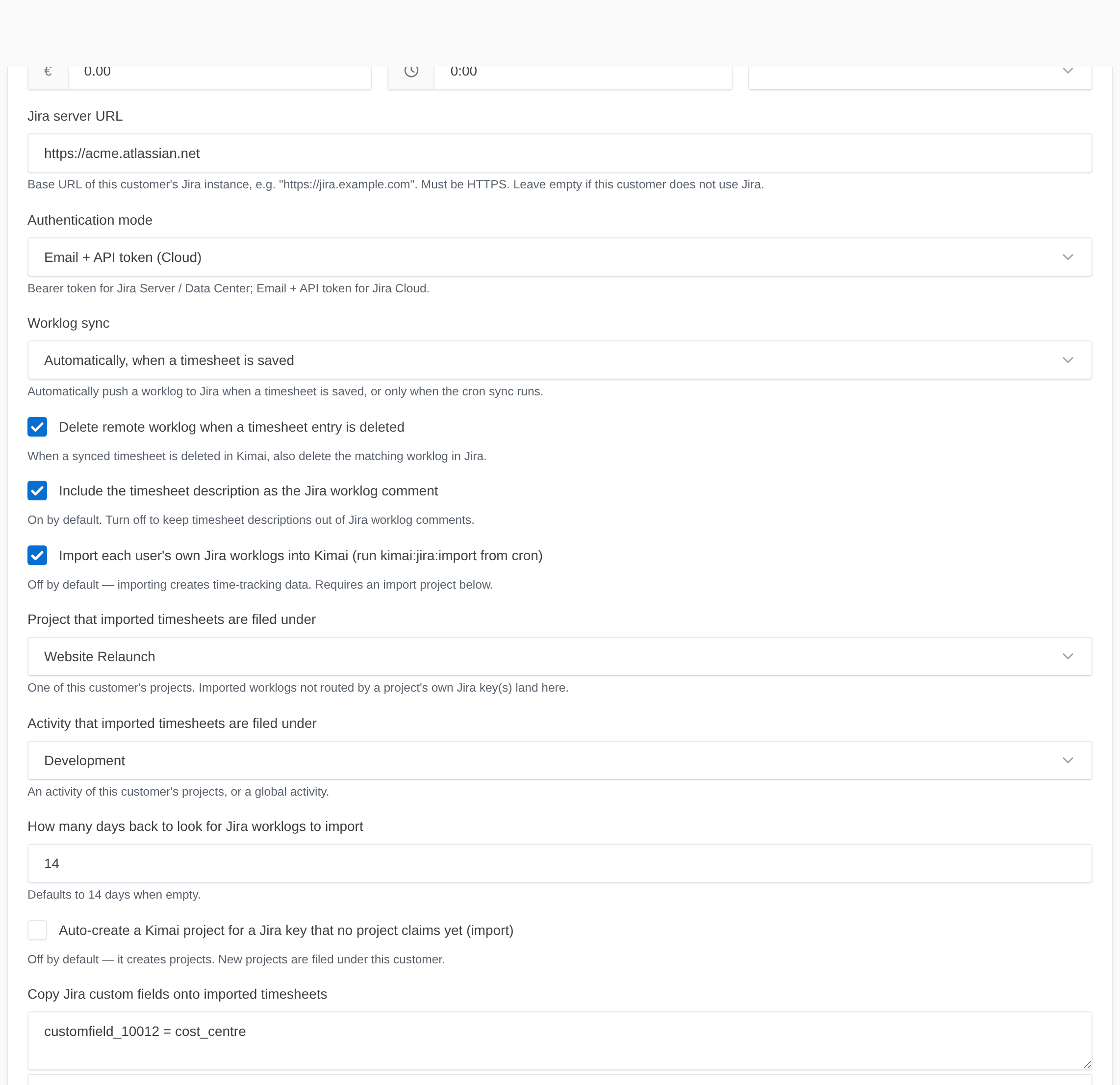
Enable + target
Import is off by default (it creates data). It is enabled per customer, on the customer's edit form (Customers → edit a customer → Jira):
jira_import_enabled= onjira_import_project/jira_import_activity= the default target for this customer (see per-project routing and auto-create for sending different Jira projects to different Kimai projects)jira_import_window_days= how far back to look (default 14)
Run it from its own cron entry, separate from the reconciler:
0 * * * * cd /path/to/kimai && bin/console kimai:jira:import >> var/log/jira-cron.log 2>&1
Behaviour
- Finds each user's logged issues in the window, imports their own worklogs, and records the Jira
key, worklog id, and
jira_sync_status=syncedon each timesheet. - Deduplicates against worklog ids Kimai already stores — re-running never duplicates, and it never re-imports a worklog Kimai's own outbound sync created.
- Timezone-correct — the Jira
startedinstant round-trips exactly into the user's timezone. - Routes by Jira key, optionally auto-creates projects, and copies mapped custom fields.
--dry-runreports without writing;--user=IDlimits to one user;--days=Noverrides the window.
Known limitation (MVP)
Imported entries are persisted directly (to avoid a sync feedback loop), which bypasses Kimai's rate calculators — so they start at zero/default rates. Edit an entry, or let your normal rate rules apply on the next save.
See also: per-project routing · auto-create · custom fields.