Kimai Jira Sync
A Kimai plugin that tags timesheet entries with a Jira issue key and pushes tracked time to Jira as worklogs — authenticated with each user's own personal access token (Jira Server / Data Center) or API token (Jira Cloud). Time tracking keeps working even when Jira is unreachable; the sync catches up in the background.
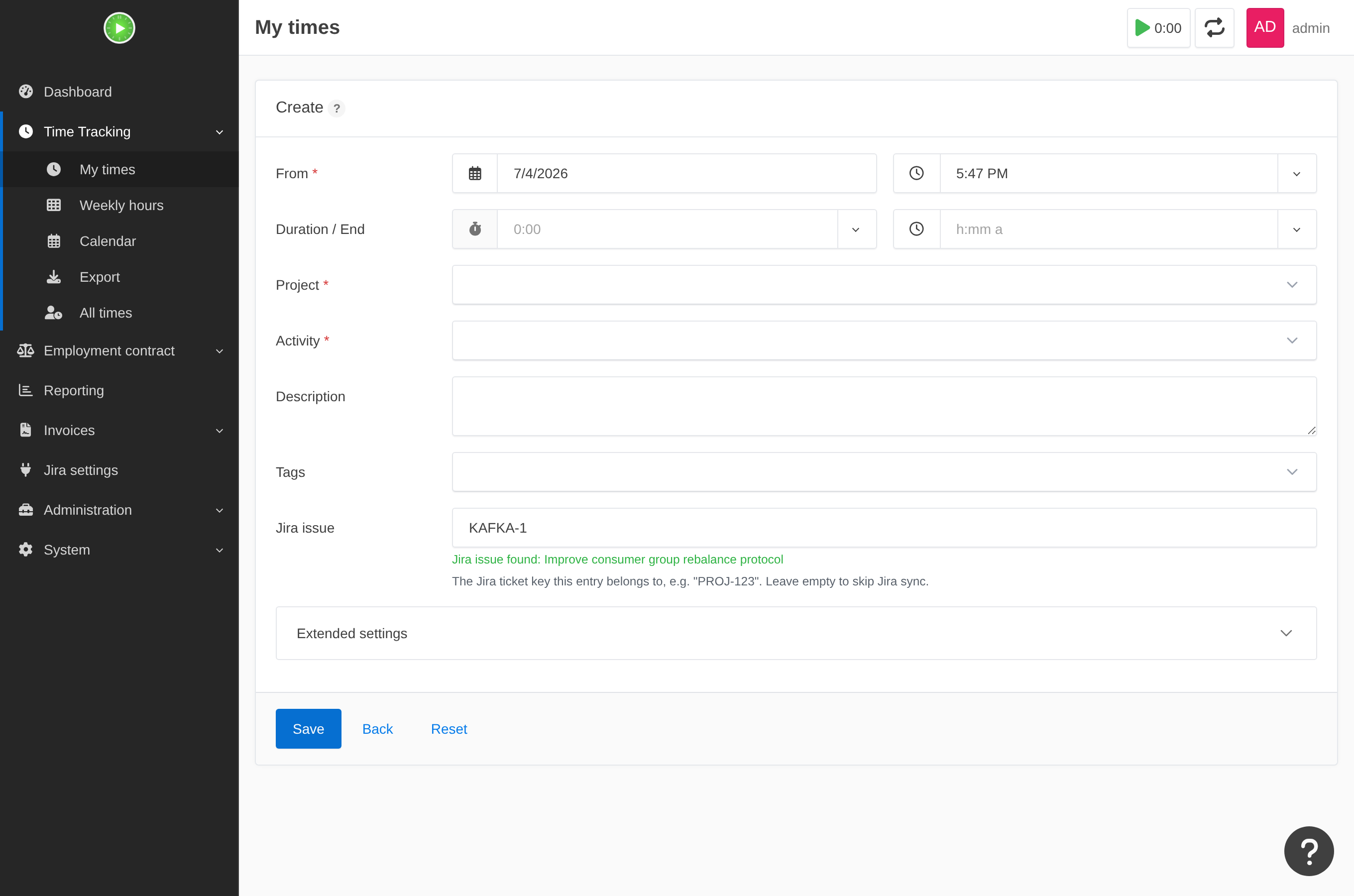 The Jira issue field on a timesheet — validated live as you type, and a clickable link to the
ticket.
The Jira issue field on a timesheet — validated live as you type, and a clickable link to the
ticket.
What it does
- Adds an optional Jira issue field (e.g.
PROJ-123) to every timesheet, live-validated as you type and shown as a clickable link to the ticket. - On stop/save, creates or updates a Jira worklog on that issue — resilient to Jira downtime, with a background reconciler that drains anything that couldn't sync inline.
- Optionally the reverse direction: an opt-in importer pulls each user's own Jira worklogs into Kimai as timesheets.
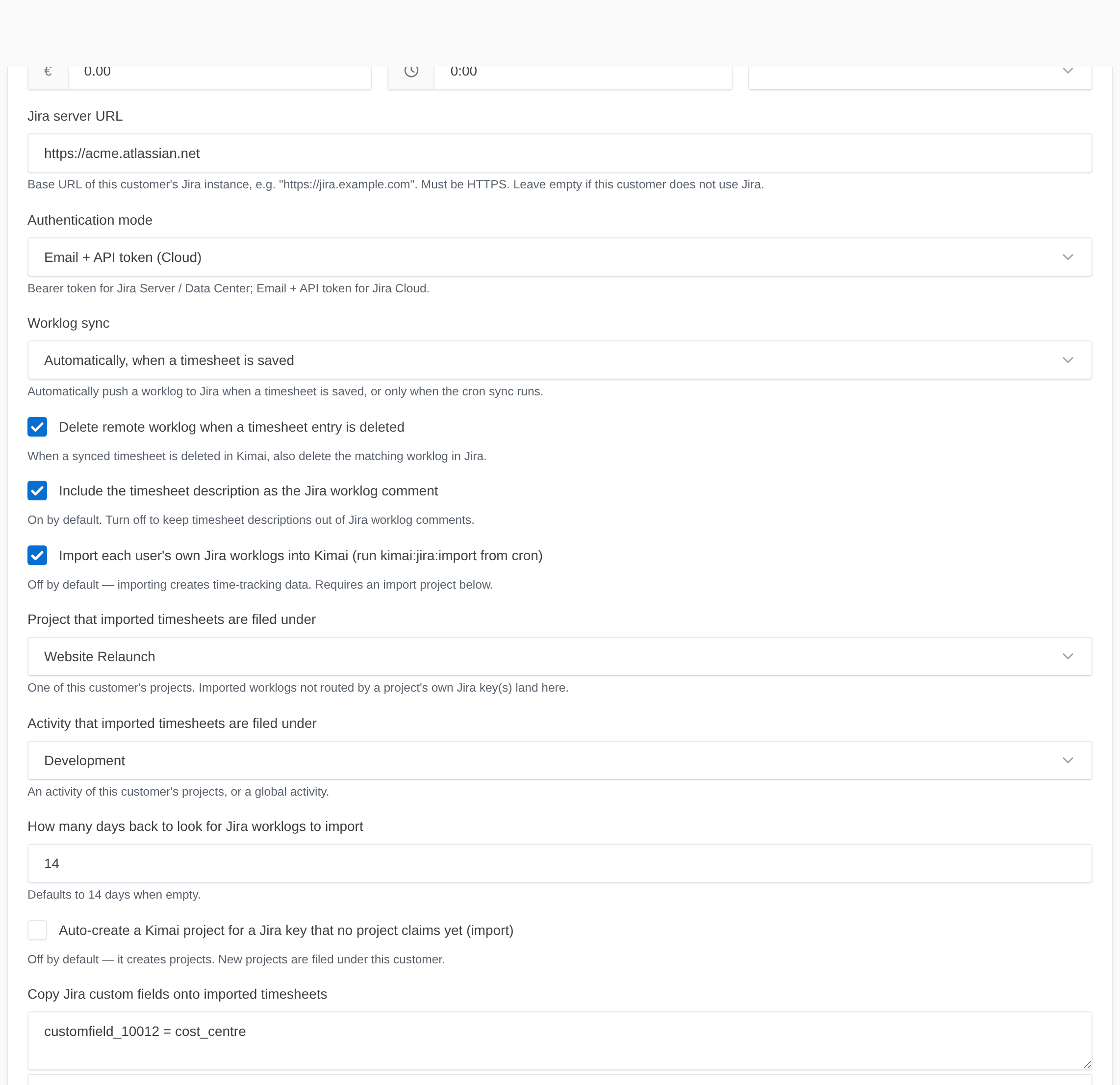
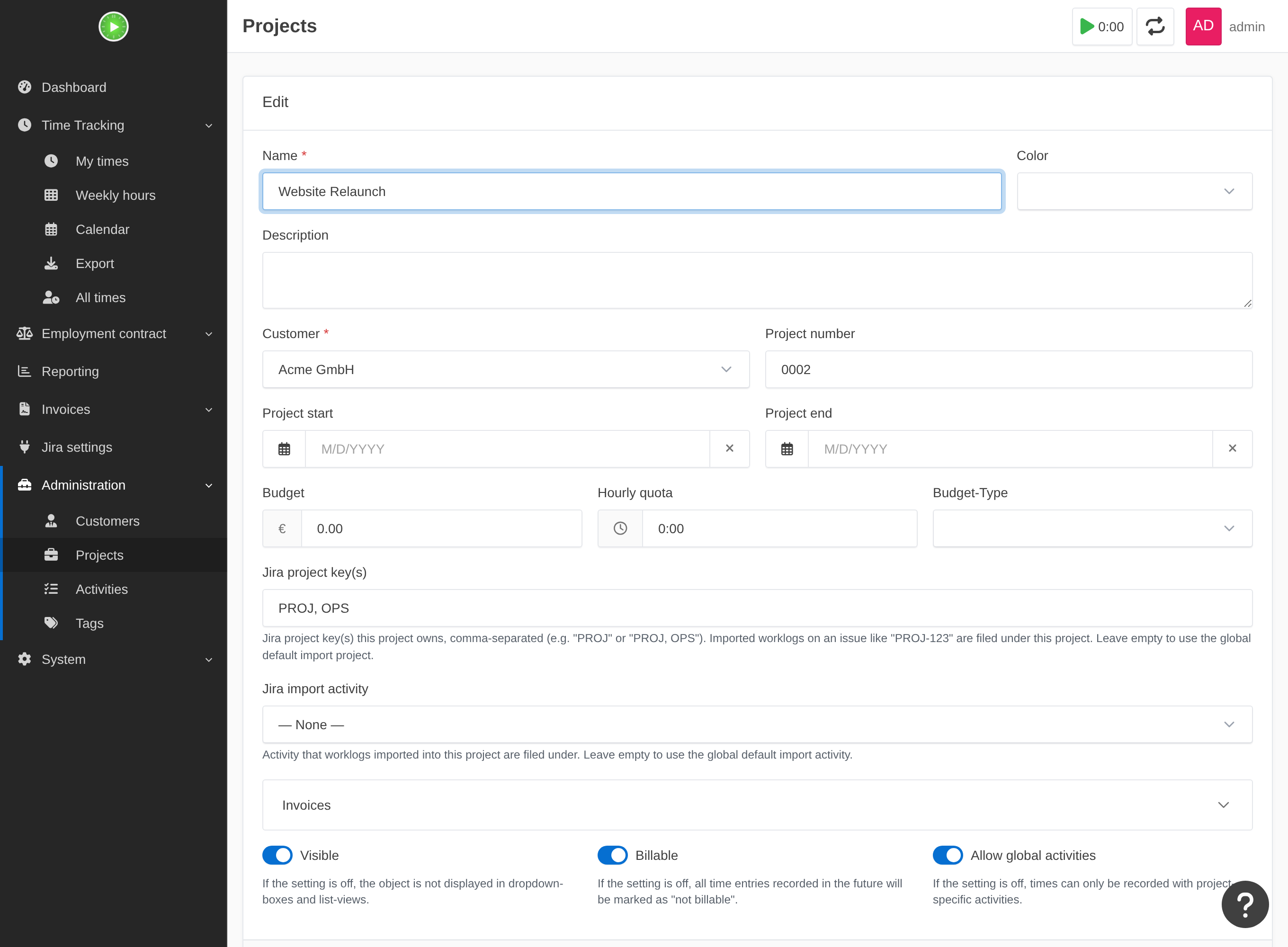
- Routes imported worklogs to the right Kimai project by their Jira key, can auto-create a project for a key nothing claims yet, and copies selected Jira custom fields onto the entry.
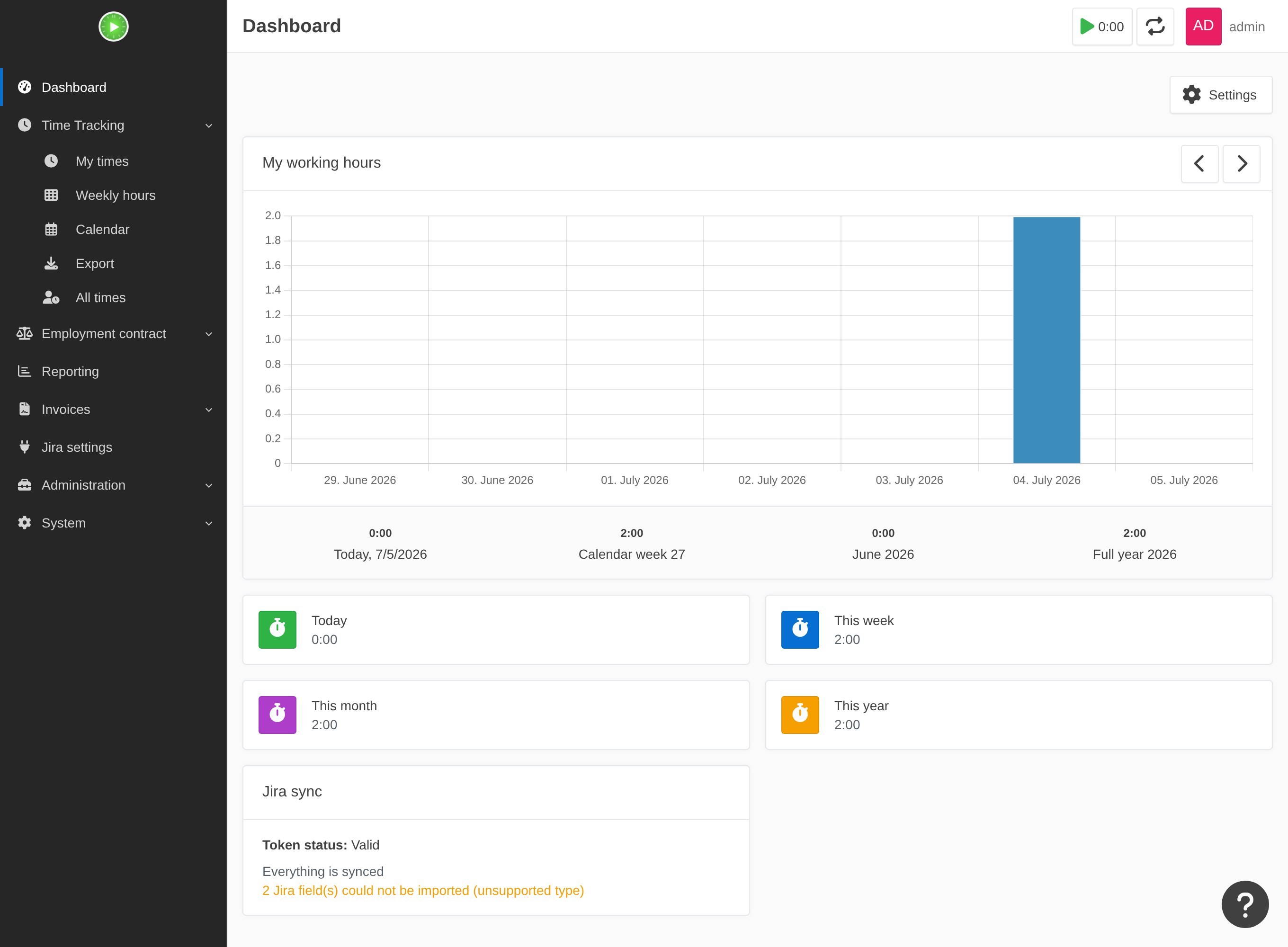
- A dead token, a stalled sync, or a field it couldn't import is hard to miss — a session banner, escalation emails, a dashboard widget, and a weekly admin digest.
Each user stores their own credential — one token per customer — and tokens are encrypted at rest and never shared, logged, or returned by any API.
See it in action
Configured per customer — each customer's edit form carries its own Jira connection, sync behaviour, opt-in import, auto-create, and custom-field mapping, so different clients can point at different Jira instances:
Imports route themselves by Jira project. Each Kimai project claims the Jira key(s) it owns on
its own edit form, so PROJ-123 and OPS-9 land under different projects
(per-project routing, auto-create):
Nothing fails silently. A Jira custom field the importer can't handle is skipped and shown — on the dashboard widget, an admin banner, and the weekly digest — so a missing cost centre is never a surprise at invoicing time (custom fields):
Get started
- Install — drop the ZIP into
var/plugins/, run the installer (with a requirements check for your DevOps). - Buy a license — the 49 €/year subscription; the signed key arrives by email.
- Configure — per-customer server URL, per-customer tokens, and the cron entries.
- Guides — a page per capability: worklog sync, importing, routing, auto-create, custom fields, notifications, and troubleshooting.