Per-project routing
By default the importer files every imported worklog under one project (the customer's
jira_import_project). That is wrong when a customer's Jira instance has many projects — you
want PROJ-123 under one Kimai project and OPS-9 under another. Per-project routing does that.
How it works
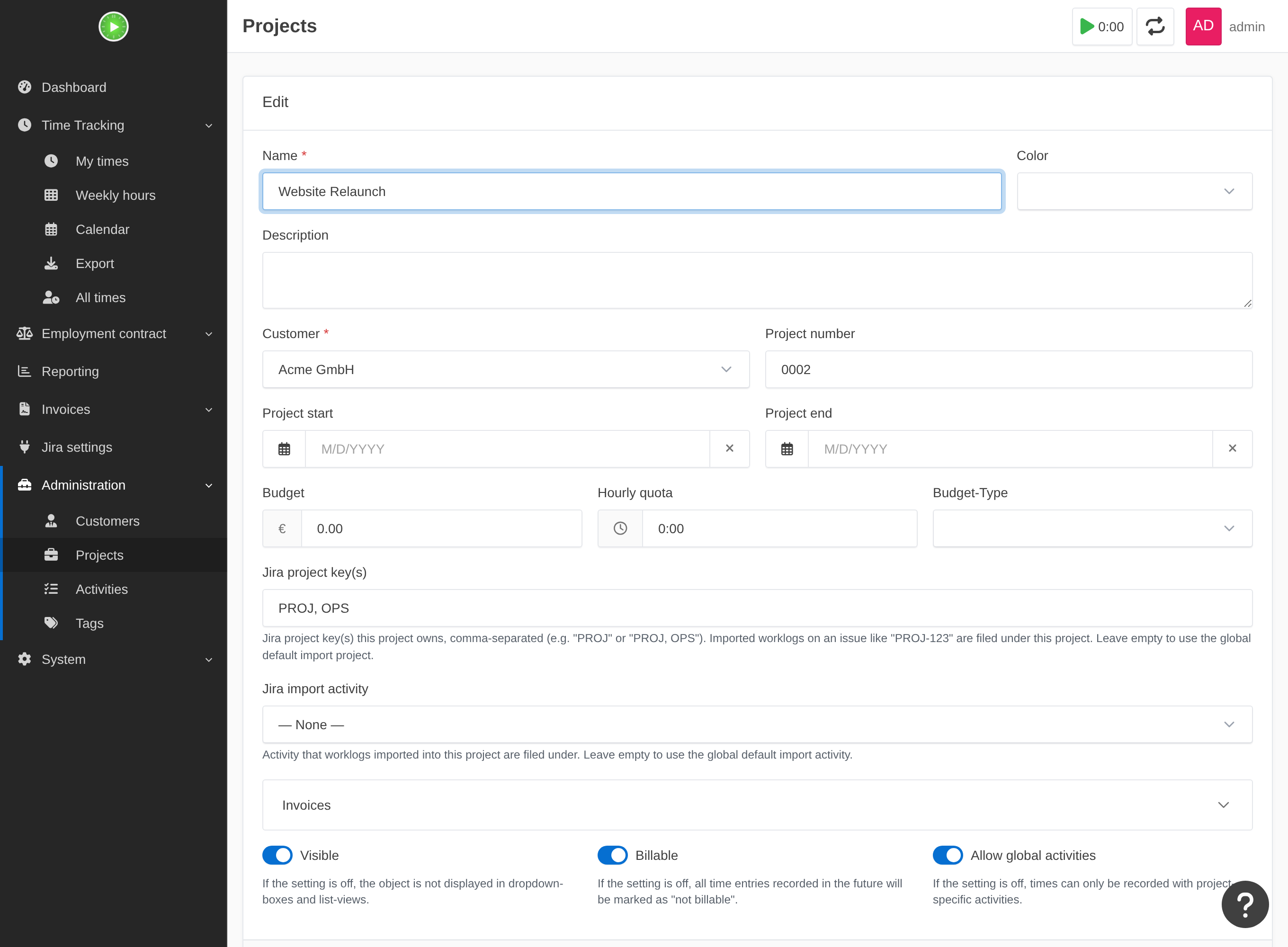
Each Kimai project claims the Jira project key(s) it owns. Open a project's normal edit form (Administration → Projects → edit) and fill in:
- Jira project key(s) — one or more uppercase Jira keys, comma-separated (e.g.
PROJorPROJ, OPS). Any imported worklog on an issue likePROJ-123is filed under this project. - Jira import activity (optional) — the activity imported entries for this project use,
overriding the customer's
jira_import_activity. Leave empty to use the customer's default.
The mapping lives on the project, so it is created and deleted with the project — there is no separate table or screen to keep in sync.
Autocomplete
When you have a valid Jira token (from your Jira settings), the Jira project key(s)
field suggests your Jira projects as you type (KEY — Name), so you don't have to remember
the exact keys. Without a token it stays a plain text field — the feature is pure convenience.
Resolution order
For each imported issue key, the importer picks the target in this order:
- A project that claims the key → that project (+ its activity override, or the customer's import activity).
- No project claims it → auto-create a project (if enabled), otherwise the
customer's default
jira_import_project/jira_import_activity. - A routing failure — a target was found but can't be used. Two distinct cases, both reported
(logged and counted in the run summary), never silently dropped:
- A project claims the key but has no import activity (no per-project override and no customer default activity). This is a failure of the claimed project, not a missing claim — the gap is the activity, so add an import activity to fix it.
- An unclaimed key with no default project (nothing claims the key, auto-create is off, and
the customer has no
jira_import_project). Note this is different from case 2: an unclaimed key with a default configured simply falls through to that default — only a missing default makes it a failure.
Backward compatible: if no project claims any key, every worklog uses the customer's default — exactly the single-target behaviour from before this feature existed.
Notes
- Keys are matched case-insensitively and must look like a Jira project key
(
^[A-Z][A-Z0-9_]*$); malformed entries are ignored. - Duplicate claim — if two projects claim the same key, the lower project id wins and the conflict is logged and counted, so you can spot and fix it.
- A key claimed by a project that was since deleted/hidden falls back to the customer's default for that run.
See also: importing · auto-create.